![[Olakunlevpn] Popular Tags Cloud](/data/resource_icons/0/553.jpg?1786473740)
- Compatible XF versions
- 2.3.x
- Visible branding
- No
Popular Tags Cloud
Transform your forum's tag display into a stunning, interactive 3D visual experience.
Popular Tags Cloud replaces the boring, static list of tags with a dynamic, rotating 3D cloud that engages your users and encourages exploration of your content.
Note: This add-on is the maintained successor to the abandoned [XD] Popular Tags Cloud, fully upgraded for XenForo 2.3 with improved performance and features.
Features
3D Canvas

Simple HTML
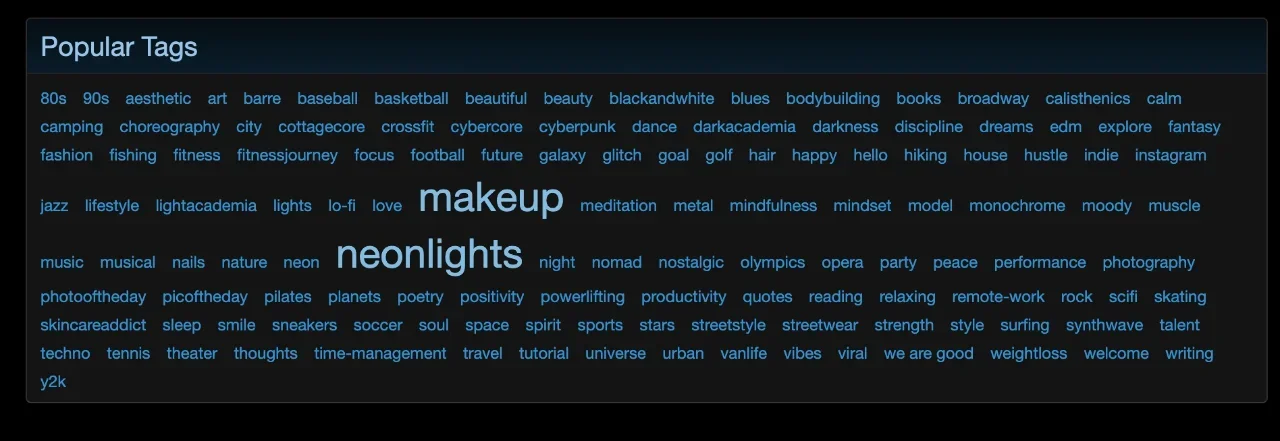
Powered by a lightweight HTML5 Canvas engine (TagCanvas), your tags float and rotate in 3D space.
5 Unique Shapes: Customize the look to fit your theme. Choose from:
Visual Customization
Installation
Transform your forum's tag display into a stunning, interactive 3D visual experience.
Popular Tags Cloud replaces the boring, static list of tags with a dynamic, rotating 3D cloud that engages your users and encourages exploration of your content.
Note: This add-on is the maintained successor to the abandoned [XD] Popular Tags Cloud, fully upgraded for XenForo 2.3 with improved performance and features.
Features
3D Canvas
Simple HTML
Powered by a lightweight HTML5 Canvas engine (TagCanvas), your tags float and rotate in 3D space.
5 Unique Shapes: Customize the look to fit your theme. Choose from:
- Sphere (Classic Globe)
- Horizontal Cylinder
- Vertical Cylinder
- Horizontal Ring
- Vertical Ring
- Zero Configuration (Optional): Works out of the box, but offers deep customization if you need it.
Visual Customization
- Control the Cloud Shape (Sphere, Cylinder, Ring).
- Set custom Text Colours and Outline Colours.
- Adjust the Rotation Speed and Depth of the cloud.
- Option for Background Colour to match your theme or stand out.
Installation
- Upload
- Upload the contents of the upload directory to your XenForo root.
- Install
- Log in to your Admin Control Panel.
- Go to Add-ons and find [Olakunlevpn] Popular Tags Cloud.
- Click Install.
- Setup Widget
- Go to Appearance -> Widgets.
- Add a new widget definition for "Popular Tags Cloud".
- Configure your settings (Shape, Limit, Colors) and choose a position (e.g., Forum list: Sidebar).


